No products in the cart.
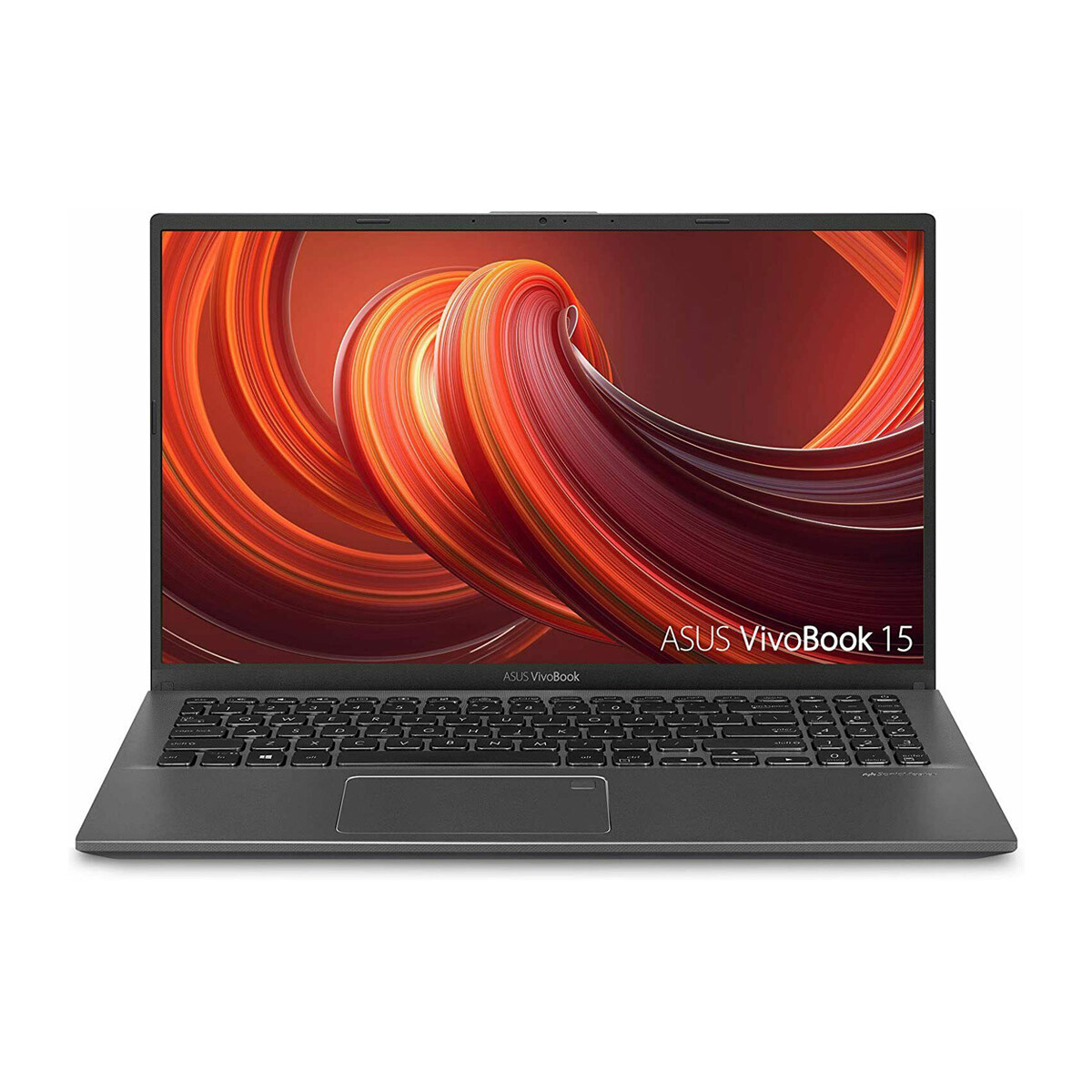
ASUS VivoBook 15 Thin and Light Laptop 15.6” FHD Display
Model:
A248429
SKU:
SL4JK74
Rated 5.00 out of 5 based on 1 customer rating
In Stock
In Stock
2-day Delivery
Speedy and reliable parcel delivery!
SKU: SL4JK74
Category: Laptops
- Intel i3-1005G1 CPU
- 8GB RAM
- 128GB SSD
Description
The Aspire 5 is a compact laptop in a thin case with a metal cover, a high-quality Full HD IPS display and a rich set of interfaces. Thanks to its powerful components, the laptop can handle resource-intensive tasks perfectly and is also suitable for most games.
Key Features:
- slim body with metal cover
- latest Intel Core i5-1135G7 processor (4 cores / 8 threads)
- 8GB DDR4 RAM and fast 512GB PCIe SSD
- NVIDIA GeForce MX350 2GB GDDR5 graphics card
- backlit keyboard, touchpad with gesture support
1 review for ASUS VivoBook 15 Thin and Light Laptop 15.6” FHD Display
Add a review Cancel reply
Related products
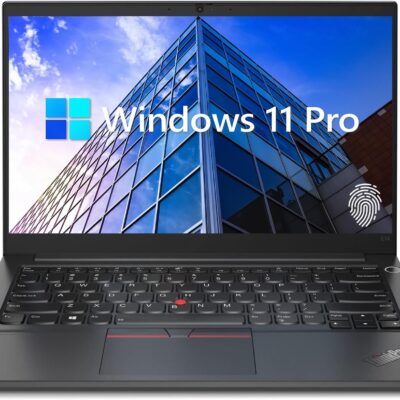
Lenovo ThinkPad E14 Gen 5 Business Laptop, 14″ FHD+ Display, AMD Ryzen 7 7730U (Beat i7-1255U), 16GB RAM, 512GB SSD, FP Reader, Backlit Keyboard, HDMI, RJ45, Wi-Fi 6, Windows 11 Pro, Black
9 Ratings
Product Description


Processor AMD Ryzen 7 7730U Processor (8 Cores, 16 Threads, 16MB L3 Cache, Clock Speed:2.0GHz, up to 4.5GHz Turbo) Display 14" diagonal, WUXGA(1920 * 1200) display Operating System Windows 11 Pro GPU AMD Radeon Graphics Fingerprint Reader Yes Backlit Keyboard Yes (Fn + Space) Wireless Connectivity Wi-Fi 6 and Bluetooth Color Black
【High Speed RAM And Enormous Space】16GB high-bandwidth RAM to smoothly run multiple applications and browser tabs all at once; 512GB PCIe NVMe M.2 Solid State Drive allows to fast bootup and data transfer
【Processor】AMD Ryzen 7 7730U Processor (8 Cores, 16 Threads, 16MB L3 Cache, Clock Speed:2.0GHz, up to 4.5GHz Turbo)
【Display】14" diagonal, FHD+ display (1920 * 1200)
【Tech Specs】2 x USB 3.0 Type-A, 2 x USB Type-C, 1 x HDMI, 1 x headphone/microphone combo, 1 x RJ45, FP Reader, Backlit Keyboard, Wi-Fi 6
【Operating System】Windows 11 Pro-Get all the features of Windows 11 Home operating system plus Mobile device management, Group Policy, Enterprise State Roaming, Assigned Access, Dynamic Provisioningm, Windows Update for Business, Kiosk mode, and Active Directory/Azure AD


Processor AMD Ryzen 7 7730U Processor (8 Cores, 16 Threads, 16MB L3 Cache, Clock Speed:2.0GHz, up to 4.5GHz Turbo) Display 14" diagonal, WUXGA(1920 * 1200) display Operating System Windows 11 Pro GPU AMD Radeon Graphics Fingerprint Reader Yes Backlit Keyboard Yes (Fn + Space) Wireless Connectivity Wi-Fi 6 and Bluetooth Color Black
【High Speed RAM And Enormous Space】16GB high-bandwidth RAM to smoothly run multiple applications and browser tabs all at once; 512GB PCIe NVMe M.2 Solid State Drive allows to fast bootup and data transfer
【Processor】AMD Ryzen 7 7730U Processor (8 Cores, 16 Threads, 16MB L3 Cache, Clock Speed:2.0GHz, up to 4.5GHz Turbo)
【Display】14" diagonal, FHD+ display (1920 * 1200)
【Tech Specs】2 x USB 3.0 Type-A, 2 x USB Type-C, 1 x HDMI, 1 x headphone/microphone combo, 1 x RJ45, FP Reader, Backlit Keyboard, Wi-Fi 6
【Operating System】Windows 11 Pro-Get all the features of Windows 11 Home operating system plus Mobile device management, Group Policy, Enterprise State Roaming, Assigned Access, Dynamic Provisioningm, Windows Update for Business, Kiosk mode, and Active Directory/Azure AD
Key Features and Benefits:CPU: AMD Ryzen 5 5500U Processor (6 Cores, 12 Threads, 8MB L3 Cache, Clock Speed:2.1GHz, up to 4.0GHz Turbo)
Memory: Up to 32GB DDR4 RAM
Hard Drive: Up to 2TB PCIe Solid State Drive
Operating System: Windows 11 Pro
Graphics: AMD Radeon Graphics
Display: 15.6"diagonal, FHD (1920 x 1080)
Ports:
1 x USB 3.0 Type-A
1 x USB 2.0 Type-A
1 x USB Type-C
1 x HDMI
1 x RJ45
1 x headphone/microphone combo
Keyboard: Full-size keyboard with numeric keypad
Optical Drive: None
Wireless Connectivity: Wi-Fi
Dimensions: 14.1" x 9.3" x 0.78"
Weight: 3.75 lbs
Color: Black
【High Speed RAM And Enormous Space】16GB high-bandwidth RAM to smoothly run multiple applications and browser tabs all at once; 1TB PCIe NVMe M.2 Solid State Drive allows to fast bootup and data transfer
【Processor】AMD Ryzen 5 5500U Processor (6 Cores, 12 Threads, 8MB L3 Cache, Clock Speed:2.1GHz, up to 4.0GHz Turbo)
【Display】15.6" diagonal, FHD (1920 x 1080)
【Tech Specs】1 x USB 3.0 Type-A, 1 x USB 2.0 Type-A, 1 x USB Type-C, 1 x HDMI, 1 x RJ45, 1 x headphone/microphone combo, Numeric Keyboard, Webcam, Wi-Fi
【Operating System】Windows 11 Pro-Get all the features of Windows 11 Home operating system plus Mobile device management, Group Policy, Enterprise State Roaming, Assigned Access, Dynamic Provisioningm, Windows Update for Business, Kiosk mode, and Active Directory/Azure AD
Memory: Up to 32GB DDR4 RAM
Hard Drive: Up to 2TB PCIe Solid State Drive
Operating System: Windows 11 Pro
Graphics: AMD Radeon Graphics
Display: 15.6"diagonal, FHD (1920 x 1080)
Ports:
1 x USB 3.0 Type-A
1 x USB 2.0 Type-A
1 x USB Type-C
1 x HDMI
1 x RJ45
1 x headphone/microphone combo
Keyboard: Full-size keyboard with numeric keypad
Optical Drive: None
Wireless Connectivity: Wi-Fi
Dimensions: 14.1" x 9.3" x 0.78"
Weight: 3.75 lbs
Color: Black
【High Speed RAM And Enormous Space】16GB high-bandwidth RAM to smoothly run multiple applications and browser tabs all at once; 1TB PCIe NVMe M.2 Solid State Drive allows to fast bootup and data transfer
【Processor】AMD Ryzen 5 5500U Processor (6 Cores, 12 Threads, 8MB L3 Cache, Clock Speed:2.1GHz, up to 4.0GHz Turbo)
【Display】15.6" diagonal, FHD (1920 x 1080)
【Tech Specs】1 x USB 3.0 Type-A, 1 x USB 2.0 Type-A, 1 x USB Type-C, 1 x HDMI, 1 x RJ45, 1 x headphone/microphone combo, Numeric Keyboard, Webcam, Wi-Fi
【Operating System】Windows 11 Pro-Get all the features of Windows 11 Home operating system plus Mobile device management, Group Policy, Enterprise State Roaming, Assigned Access, Dynamic Provisioningm, Windows Update for Business, Kiosk mode, and Active Directory/Azure AD
Switching out of S mode in Windows 11
Windows 11 in S mode is designed for security and performance, exclusively running apps from the Microsoft Store. If you want to install an app that isn't available in the Microsoft Store, you'll need to switch out of S mode
1. On your PC running Windows 11 in S mode, open Settings > System > Activation.
2. In the Switch to Windows 11 Pro section, select Go to the Store. (If you also see an "Upgrade your edition of Windows" section, be careful not to click the "Go to the Store" link that appears there.)
3. On the Switch out of S mode (or similar) page that appears in the Microsoft Store, select the Get button. After you see a confirmation message on the page, you'll be able to install apps from outside of the Microsoft Store.
Activate pre-installed Office 365:
1.Launch any Office app >
2.Start your activation by signing in with your Microsoft account(Create a account if you don't have one yet) >
3.Click "Activative Office" >
4.Sign in your account and follow the next prompts. >
5.Complete Step 1,2 and 3 >
6.Click on Refresh once Office is ready >
7.Open a document and accept the license agreement.
Display: 14.0-inch diagonal, HD (1366 x 768), micro-edge, BrightView
Processor: Intel Celeron N4120, 4 Cores & 4 Threads
Memory: 8GB RAM
Storage:128GB eMMC + 64GB Ghost Manta SD Card
Graphics: Intel UHD Graphics 600
Operating System: Windows 11 Home in S mode
Battery Life: Up to 10 hours
Webcam: HP True Vision 720p HD camera with integrated dual array digital microphones
Connectivity: 802.11a/b/g/n/ac (2x2)(19a) Wi-Fi and Bluetooth
Dimensions: 12.76 x 8.86 x 0.71 inches
Weight: 3.24 lbs
【14" HD Display】14.0-inch diagonal, HD (1366 x 768), micro-edge, BrightView. With virtually no bezel encircling the display, an ultra-wide viewing experience provides for seamless multi-monitor set-ups
【Processor & Graphics】Intel Celeron N4120, 4 Cores & 4 Threads, 1.10 GHz Base Frequency, Up to 2.60 GHz Burst Frequency, 4 MB Cahce, Intel UHD Graphics 600, Handle multitasking reliably with the perfect combination of performance, power consumption, and value.
【RAM & Storage】Upgraded to 8GB high-bandwidth DDR4 Memory (2400 MHz), Adequate high-bandwidth RAM to smoothly run multiple applications and browser tabs all at once. 128GB high-speed eMMC Storage for your office and webinar needs. With 64GB Ghost Manta SD Card.
【Ports】1 x USB 3.1 Type-C ports, 2 x USB 3.1 Type-A ports, 1 x HDMI, 1 x Headphone/Microphone Combo Jack, and there's a microSD slot
【Activate 1 Year MS office 365 & Win11 in S mode】(About switch to regular Win11, see the detail in Product description) Activate pre-installed Office: 1.Launch any Office app > 2.Start your activation by signing in with your Microsoft account(Create a account if you don't have one yet) > 3.Click "Activate Office" > 4.Sign in your account and follow the next prompts. > 5.Complete Step 1,2 and 3 > 6.Click on Refresh once Office is ready > 7.Open a document and accept the license agreement.
Windows 11 in S mode is designed for security and performance, exclusively running apps from the Microsoft Store. If you want to install an app that isn't available in the Microsoft Store, you'll need to switch out of S mode
1. On your PC running Windows 11 in S mode, open Settings > System > Activation.
2. In the Switch to Windows 11 Pro section, select Go to the Store. (If you also see an "Upgrade your edition of Windows" section, be careful not to click the "Go to the Store" link that appears there.)
3. On the Switch out of S mode (or similar) page that appears in the Microsoft Store, select the Get button. After you see a confirmation message on the page, you'll be able to install apps from outside of the Microsoft Store.
Activate pre-installed Office 365:
1.Launch any Office app >
2.Start your activation by signing in with your Microsoft account(Create a account if you don't have one yet) >
3.Click "Activative Office" >
4.Sign in your account and follow the next prompts. >
5.Complete Step 1,2 and 3 >
6.Click on Refresh once Office is ready >
7.Open a document and accept the license agreement.
Display: 14.0-inch diagonal, HD (1366 x 768), micro-edge, BrightView
Processor: Intel Celeron N4120, 4 Cores & 4 Threads
Memory: 8GB RAM
Storage:128GB eMMC + 64GB Ghost Manta SD Card
Graphics: Intel UHD Graphics 600
Operating System: Windows 11 Home in S mode
Battery Life: Up to 10 hours
Webcam: HP True Vision 720p HD camera with integrated dual array digital microphones
Connectivity: 802.11a/b/g/n/ac (2x2)(19a) Wi-Fi and Bluetooth
Dimensions: 12.76 x 8.86 x 0.71 inches
Weight: 3.24 lbs
【14" HD Display】14.0-inch diagonal, HD (1366 x 768), micro-edge, BrightView. With virtually no bezel encircling the display, an ultra-wide viewing experience provides for seamless multi-monitor set-ups
【Processor & Graphics】Intel Celeron N4120, 4 Cores & 4 Threads, 1.10 GHz Base Frequency, Up to 2.60 GHz Burst Frequency, 4 MB Cahce, Intel UHD Graphics 600, Handle multitasking reliably with the perfect combination of performance, power consumption, and value.
【RAM & Storage】Upgraded to 8GB high-bandwidth DDR4 Memory (2400 MHz), Adequate high-bandwidth RAM to smoothly run multiple applications and browser tabs all at once. 128GB high-speed eMMC Storage for your office and webinar needs. With 64GB Ghost Manta SD Card.
【Ports】1 x USB 3.1 Type-C ports, 2 x USB 3.1 Type-A ports, 1 x HDMI, 1 x Headphone/Microphone Combo Jack, and there's a microSD slot
【Activate 1 Year MS office 365 & Win11 in S mode】(About switch to regular Win11, see the detail in Product description) Activate pre-installed Office: 1.Launch any Office app > 2.Start your activation by signing in with your Microsoft account(Create a account if you don't have one yet) > 3.Click "Activate Office" > 4.Sign in your account and follow the next prompts. > 5.Complete Step 1,2 and 3 > 6.Click on Refresh once Office is ready > 7.Open a document and accept the license agreement.
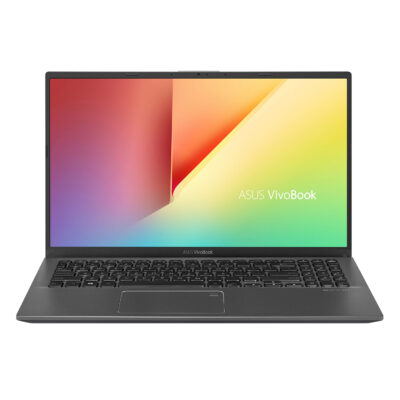
ASUS VivoBook 17.3″ i5 8GB_1TB 17.3″ FHD Display
Rated 5.00 out of 5
1 Ratings
Intel Core i5-1035G1
8GB DDR4 RAM
28GB PCIe NVMe SSD
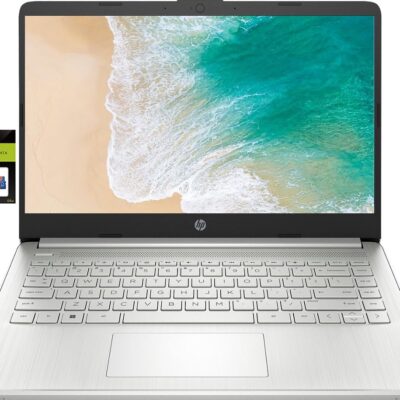
HP 14 Laptop, Intel Celeron N4020, 4 GB RAM, 64 GB Storage, 14-inch Micro-edge HD Display, Windows 11 Home, Thin & Portable, 4K Graphics, One Year of Microsoft 365 (14-dq0040nr, Snowflake White)
10 Ratings
The Snowflake White HP 14 Laptop is designed to keep you productive and entertained from anywhere. Maximize your viewing area and see every detail thanks to 6.5 mm micro-edge bezel display, 79% screen-to-body ratio, and 14-inch HD (1366 x 768) display (1) (2). Performance, power consumption, and value come together in the Intel® Celeron® N4020, the ideal processor for your busiest days (3). Enjoy the highest resolution games and movies with the 4K-ready Intel® UHD Graphics 600 (4) (5). Store more of what you love and multitask faster, even with multiple windows open, with this HP laptop’s 64 GB of eMMC storage and 4 GB of RAM (6). Up your creativity and efficiency as this HP 14-inch laptop offers even more features for computing from anywhere. Spend more time focused on your daily tasks and less on the battery life with up to 11 hours and 30 minutes of power (7). Plus, HP Fast Charge keeps you powered especially if you need recharge quickly (8). The exceedingly secure Windows 10 Home in S mode outfits your PC laptop with fast boot times, increased responsiveness, and added protection against phishing and malware (9). Work confidently with 1-year limited hardware warranty and stay connected with the dependable Wi-Fi 5 (1x1) and Bluetooth® 4.2 combo (10) (11). Boost your creativity as your Windows laptop comes with a 1-year subscription to Microsoft 365, including the whole Office Suite: Word, Excel, and PowerPoint (12). Productivity and entertainment features aren’t the only things your device is equipped with; lead a sustainable lifestyle with a thin laptop that is ENERGY STAR® certified and EPEAT® Silver registered (13) (14). (1) Percent of the active plus inactive viewing area to active viewing area plus border. Measure with lid vertical to the desk. (2) High-definition (HD) content is required to view high-definition images. (3) Multi-core is designed to improve the performance of certain software products. Not all customers or software applications will necessarily benefit from the use of this technology. Performance and clock frequency will vary depending on application workload and your hardware and software configurations. Intel’s numbering, branding, and/or naming is not a measurement of higher performance. Intel, Pentium, Intel Core, Celeron, Iris Xe, Intel logo, and the Intel Inside logo are trademarks of Intel Corporation in the U.S. and other countries. (4) Wireless access point and internet service required and sold separately. The availability of public wireless access points is limited. (5) Graphics output may be limited based on the maximum resolution of the display. Shared video memory (UMA) uses part of the total system memory for video performance. System memory dedicated to video performance is not available for other use by other programs. (6) For storage drives, GB = 1 billion bytes. The actual formatted capacity is less. Up to 5.1GB of disk is reserved for system recovery software. (7) Battery life tested by HP using continuous FHD video playback, 1080p (1920x1080) resolution, 150 nits brightness, system audio level at 17%, player audio level at 100%, played full-screen from local storage, headphone attached, wireless on but not connected. Actual battery life will vary depending on configuration and maximum capacity will naturally decrease with time and usage. (8) Features may require software or other 3rd party applications to provide the described functionality. Internet service required and not included. (9) Not all features are available in all editions or versions of Windows. Systems may require upgraded and/or separately purchased hardware, drivers, software, or BIOS update to take full advantage of Windows functionality. Windows 10 is automatically updated, which is always enabled. ISP fees may apply and additional requirements may apply over time for updates.Windows 10 Home (S mode) works exclusively with apps from the Microsoft Store within Windows. Certain default settings, features, and apps cannot be changed. Some accessories and apps compatible with Windows 10 may not work (including some antivirus, PDF Writers, driver utilities, and accessibility apps) and performance may vary, even if you switch to Windows 10 Home configuration (fee may apply). You can’t switch back to Windows 10 Home (S mode).(10) Wireless access point and internet service required and sold separately. The availability of public wireless access points is limited. Wi-Fi 5 (802.11ac) is backward compatible with prior Wi-Fi 5 specs. (11) Bluetooth® is a trademark owned by its proprietor and used by Hewlett-Packard Company under license. (12) Microsoft 365 Personal 1-year subscription included. Activation is required within 6-months of the Windows activation date. Microsoft 365 Family and Microsoft 365 Personal have non-commercial rights and are meant for personal use only. See microsoft.com for full details. (13) ENERGY STAR and the ENERGY STAR mark are registered trademarks owned by the U.S. Environmental Protection Agency. (14) Based on U.S. EPEAT® registration according to IEEE 1680.1-2018 EPEAT®. EPEAT® status varies by country.
READY FOR ANYWHERE – With its thin and light design, 6.5 mm micro-edge bezel display, and 79% screen-to-body ratio, you’ll take this PC anywhere while you see and do more of what you love (1)
MORE SCREEN, MORE FUN – With virtually no bezel encircling the screen, you’ll enjoy every bit of detail on this 14-inch HD (1366 x 768) display (2)
ALL-DAY PERFORMANCE – Tackle your busiest days with the dual-core, Intel Celeron N4020—the perfect processor for performance, power consumption, and value (3)
4K READY – Smoothly stream 4K content and play your favorite next-gen games with Intel UHD Graphics 600 (4) (5)
STORAGE AND MEMORY – An embedded multimedia card provides reliable flash-based, 64 GB of storage while 4 GB of RAM expands your bandwidth and boosts your performance (6)
READY FOR ANYWHERE – With its thin and light design, 6.5 mm micro-edge bezel display, and 79% screen-to-body ratio, you’ll take this PC anywhere while you see and do more of what you love (1)
MORE SCREEN, MORE FUN – With virtually no bezel encircling the screen, you’ll enjoy every bit of detail on this 14-inch HD (1366 x 768) display (2)
ALL-DAY PERFORMANCE – Tackle your busiest days with the dual-core, Intel Celeron N4020—the perfect processor for performance, power consumption, and value (3)
4K READY – Smoothly stream 4K content and play your favorite next-gen games with Intel UHD Graphics 600 (4) (5)
STORAGE AND MEMORY – An embedded multimedia card provides reliable flash-based, 64 GB of storage while 4 GB of RAM expands your bandwidth and boosts your performance (6)
ASUS VivoBook 15.6 inch FHD Slate Gray
Rated 3.00 out of 5
1 Ratings
4GB DDR4 RAM
128G SSD
AMD Ryzen3 3250U


admin –
Sed perspiciatis unde omnis iste natus error sit voluptatem accusantium doloremque laudantium.